Selecting the Best Power Apps Experience
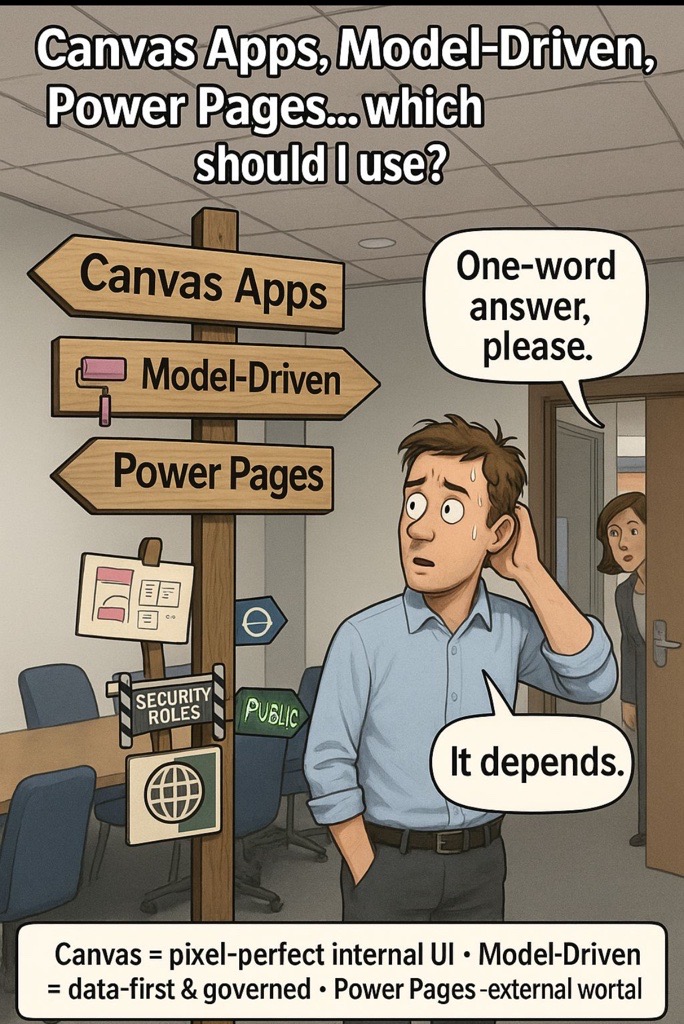
1. Canvas App
• When to use:
• You need full design freedom (pixel-perfect UI).
• App is task-focused (e.g., expense reporting, leave requests, inspections).
• You want to connect to multiple data sources (SharePoint, Dataverse, SQL, Excel, APIs).
• Strengths:
• Highly customizable UI (drag-and-drop).
• Can be embedded in Teams, SharePoint, or Power BI.
• Best for frontline workers or specific process automation.
• Limitations:
• Complex relational data is harder to manage.
• Security & role-based control not as strong as Model-driven.
⸻
2. Model-driven App
• When to use:
• Your business runs on structured, relational data (Dataverse).
• You want ready-made UI (grids, forms, views, dashboards).
• You need role-based security and business rules.
• Strengths:
• Faster to build (less design effort).
• Great for CRM, Case Management, IT Helpdesk, Sales Tracking, etc.
• Built-in charts, dashboards, business process flows.
• Limitations:
• UI is opinionated (less flexible for branding).
• Only works with Dataverse.
⸻
3. Power Pages (Power Portal)
• When to use:
• You need to provide external access (customers, vendors, partners).
• You want to expose Dataverse data securely.
• Use cases like customer service portal, partner portal, training portal, supplier portal.
• Strengths:
• External + internal users can collaborate.
• Secure authentication (Azure AD, Microsoft, LinkedIn, etc.).
• Can integrate with workflows & automation.
• Limitations:
• Requires licensing for external users.
• UI customization is more web-design oriented.
⸻
✅ Quick Rule of Thumb:
• Internal app, custom UI → Canvas
• Internal app, structured data, workflows → Model-driven
• External users (customers/partners) → Power Pages


